< All Topics
Print

How to check how much charge is left on Inogen One® G5® battery

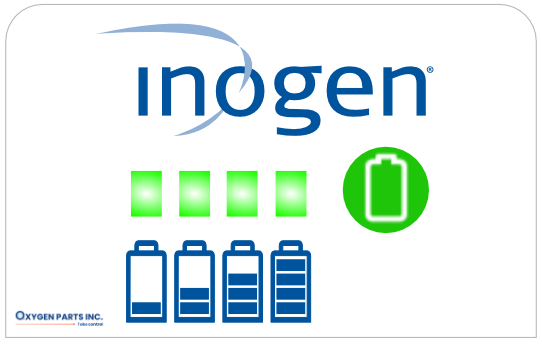
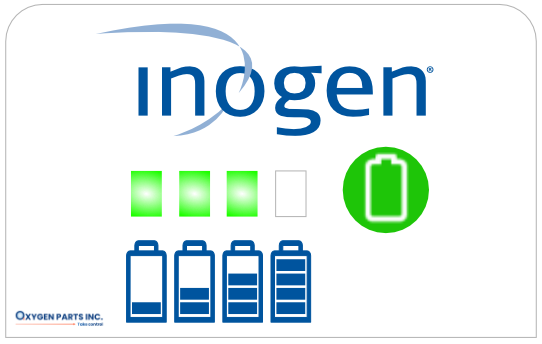
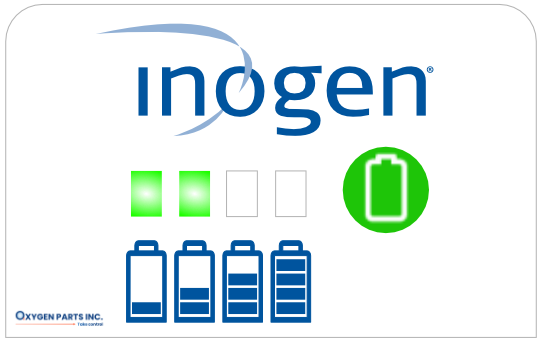
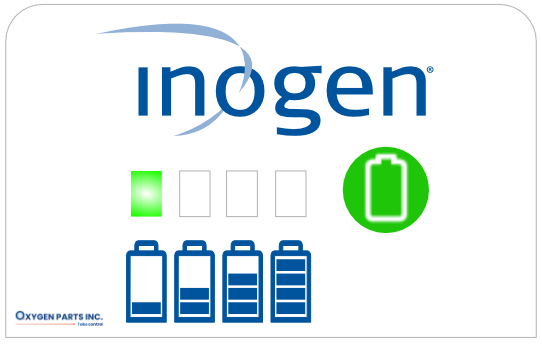
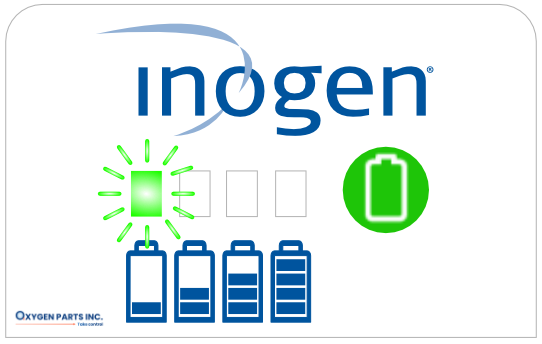
To check how much charge is remaining on your Inogen G5 battery when it’s not installed in the concentrator, press the green battery icon button. There are four battery lights indicating less than 10% to 100% which will light up to the left of the green battery button to show the level of charge remaining in the battery.

Press the green battery button to show the battery's charge status level

4 LEDs lit up: 75–100% charged

3 LEDs lit up: 50–75% charged

2 LEDs lit up: 25–50% charged

1 LED lit up: 10–25% charged

1 LED blinking: Less than 10%, recharge now

We carry only genuine parts

Genuine OxyGo and Inogen parts and accessories

Don't risk damaging your machine with 3rd party accessories parts that may not fit properly. We carry all the genuine parts and accessories for your Inogen and Oxygo concentrator. If you can't find a part or accessory on our website, feel free to get in touch with us to help you find what you need.